
There's a moment most marketers and small business owners know well — you've got a clean, shortened link ready to go, and then someone says, "Can we put this on the flyer? In print?" And you realize, yeah, a URL on a poster is basically useless. Nobody's going to type that out. Not even close.
That's where QR codes come in. And honestly, they've had a bit of a renaissance. Remember when QR codes felt like a gimmick from 2012 that never quite took off? Well, somewhere between pandemic-era menus and the rise of mobile-first everything, they quietly became normal. Expected, even. You see them on packaging, receipts, billboards, business cards — and now people actually scan them.
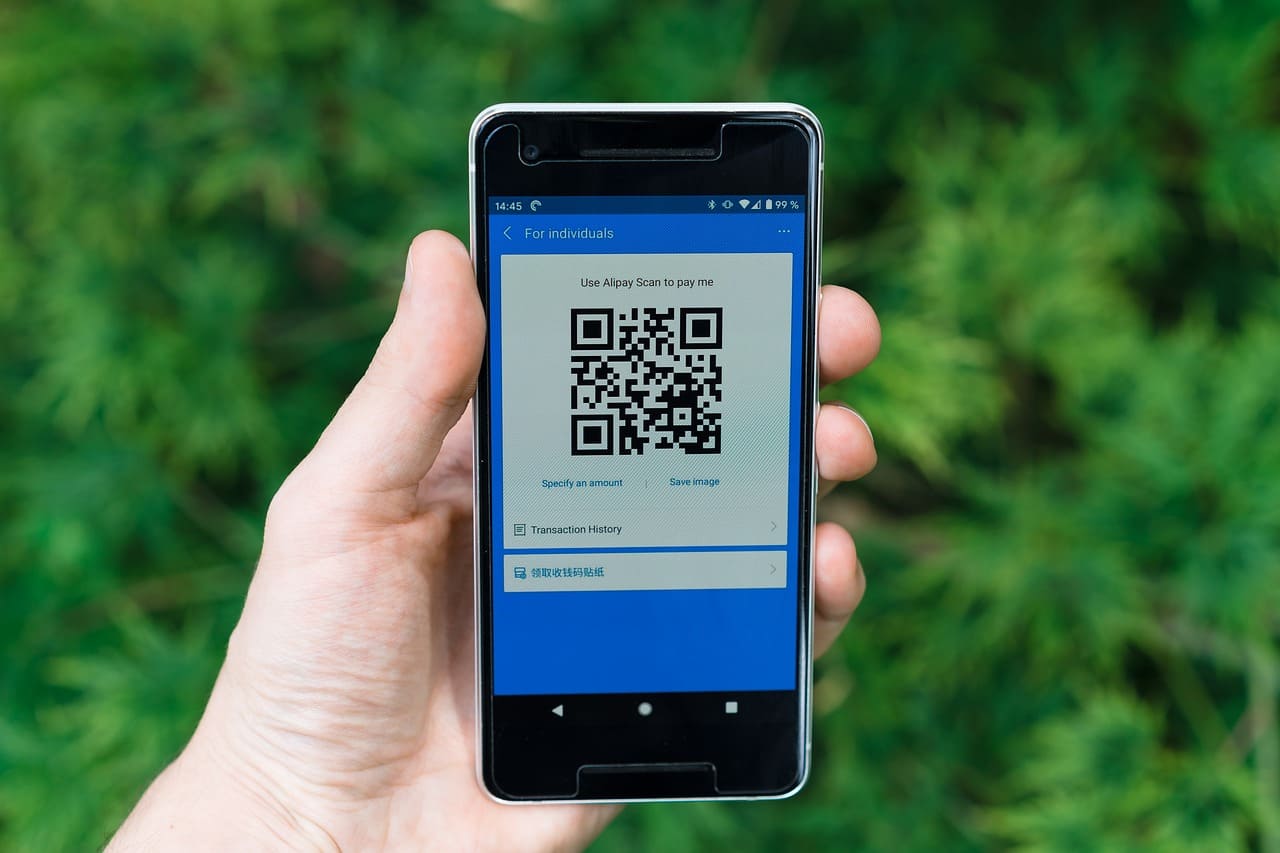
AtomicURL has always been about making links smarter and simpler. If you've used it to create short links before, you already know the core value: take a long, unwieldy URL and turn it into something clean, trackable, and shareable. But the new QR code generator takes that one step further — now your short link isn't just a string of characters. It's a scannable visual.
Let's be honest, a lot of QR code tools online are clunky. You paste a URL, get a low-res black-and-white square, maybe download it as a blurry PNG, and then spend ten minutes figuring out if it'll actually print well. AtomicURL's approach feels different because the QR code is tied directly to your short link. They live together. Update the destination URL, and the QR code still works — it's pointing to your short link, not a hardcoded long URL.
"Update the destination anytime — the QR code never breaks, because it's anchored to your short link, not the final URL."
Why the Short Link + QR Code Combo Actually Matters
Here's the thing most people don't think about until it's too late: QR codes generated directly from a long URL are essentially locked in forever. Print 500 brochures with a QR code pointing to your old landing page, and if that page ever moves or changes, good luck. You can't exactly recall the brochures.
But when your QR code points to a short link — specifically an AtomicURL short link — you still control the destination. The QR code stays the same. You can update where it leads. This is genuinely one of those features that seems small until the day you desperately need it, and then it feels like it saved your life.
It's also worth mentioning the tracking side. AtomicURL short links come with click analytics. So your QR code isn't just pretty — it's giving you data. How many people scanned it? Where? When? For anyone running a campaign across print and digital, that's a real bridge between the two worlds.
Quick summary of what makes this feature practical:
✓ QR code generated automatically from your short link
✓ Update destination URLs without reprinting QR codes
✓ Click & scan tracking built right in
✓ Downloadable in print-ready quality
✓ Works across all AtomicURL short link plans
Real Use Cases — Not the Obvious Ones
Sure, the first examples that come to mind are restaurant menus and event flyers. Those are valid. But the AtomicURL QR code generator is genuinely useful in a bunch of less obvious ways too.
Think about product packaging. If you sell anything physical — even a small Etsy business shipping out handmade items — a QR code on your packaging that links to your shop, a tutorial video, or a care guide is a subtle but effective customer experience upgrade. It doesn't require a big budget. Just a short link, a QR code, and a printer.
Or presentations. Drop a QR code on your last slide so people can actually visit the resources you mentioned without frantically scribbling down a URL. Happens more than you'd think — someone in the audience wants to follow up, but the link is gone by the time they take out their phone.
Even email signatures. You can include a QR code that links to your calendar booking page or portfolio. Slightly unconventional, but for people who print emails or read them on a different device, it works surprisingly well.
How It Works — Without Overcomplicating It
The workflow is genuinely simple. Create or log into your AtomicURL account, shorten your URL as you normally would, and the QR code is generated for you right there on the same page. No separate tool, no third-party generator, no extra steps. You can download it, and it's ready to use.
The design is clean — not overly customized or styled in a way that might cause scan issues. You might notice some QR code generators let you add logos or change colors, and while that looks nice in theory, heavily styled QR codes can actually fail to scan in bad lighting or at smaller print sizes. AtomicURL keeps it functional first, which is the right call.
One thing that's easy to miss: since the QR code ties to your short link and not the original URL, the code itself stays stable even if you swap out where it redirects. That's the part people tend to underestimate until they run a campaign and realize they need to tweak something mid-flight.
Who Is This Actually For?
Honestly? A wider audience than you might expect.
Freelancers who hand out business cards and want something more interactive than just a phone number. Small business owners managing both online and offline presence. Marketing teams running campaigns that span physical and digital channels. Content creators who sell or promote things in real-world spaces. Teachers who want students to access supplemental resources without typing a long URL on a school device.
The common thread is this: anyone who creates links digitally but needs them accessible in physical spaces. That's not a niche. That's a pretty broad slice of how people actually work and market themselves today.
And because it's built into AtomicURL — a tool a lot of people are already using for link management — there's no learning curve. If you know how to shorten a URL, you already know how to get the QR code. It's just there.
A Few Things Worth Knowing Before You Start
If you're planning to print QR codes, size matters. A QR code that's too small won't scan reliably — generally you want it to be at least 2cm x 2cm in print, though larger is safer, especially if you expect people to scan from a distance. AtomicURL gives you a downloadable version, so you can scale it properly in your design software before committing to print.
Also, test it before you print 1000 copies. Seriously. Scan it on multiple devices, in different lighting conditions, from a normal arm's length away. It sounds obvious but it's easy to skip when you're in a rush to get something out the door.
And one more practical thing — if your short link has custom tracking parameters or UTM values, those carry through. So your print QR code scans can still show up correctly segmented in your analytics. That's a detail worth caring about if you're running anything resembling a real marketing campaign.
"The gap between digital and physical used to be a wall. QR codes tied to smart short links are, quietly, a door."
The Bigger Picture
There's something worth stepping back to appreciate here. The gap between digital and physical content has always been a friction point. You design something beautiful for print, and then you're supposed to jam a 90-character URL into the corner of it and hope someone cares enough to type it out. Nobody does.
QR codes, at their best, dissolve that friction. And tying them directly to smart short links — links that are trackable, updatable, and clean — makes them genuinely powerful rather than just a visual gesture. AtomicURL's QR code generator isn't trying to reinvent anything. It's closing a gap that should've been closed sooner.
For a tool that's supposed to make links simpler, adding QR codes feels like the natural next step. Not a gimmick. Just the obvious thing to do once you think about how people actually use links in the real world.
If you've been manually generating QR codes from a separate website and then pasting your short URL in there, this update will save you at least a few minutes every time — and more importantly, it removes one more place where something can go wrong. That's the quiet value of integration. Less to remember. Less that breaks.
Give it a try on your next campaign, your next card design, your next product insert. You might be surprised how much cleaner the whole workflow feels when the short link and the QR code are just... the same thing.
Tags
#AtomicURL #URLshortener #QRcodegenerator #shortlinks #linkmanagement