.jpg "How to Add a Short Link to Your Instagram Bio (Step-by-Step)")

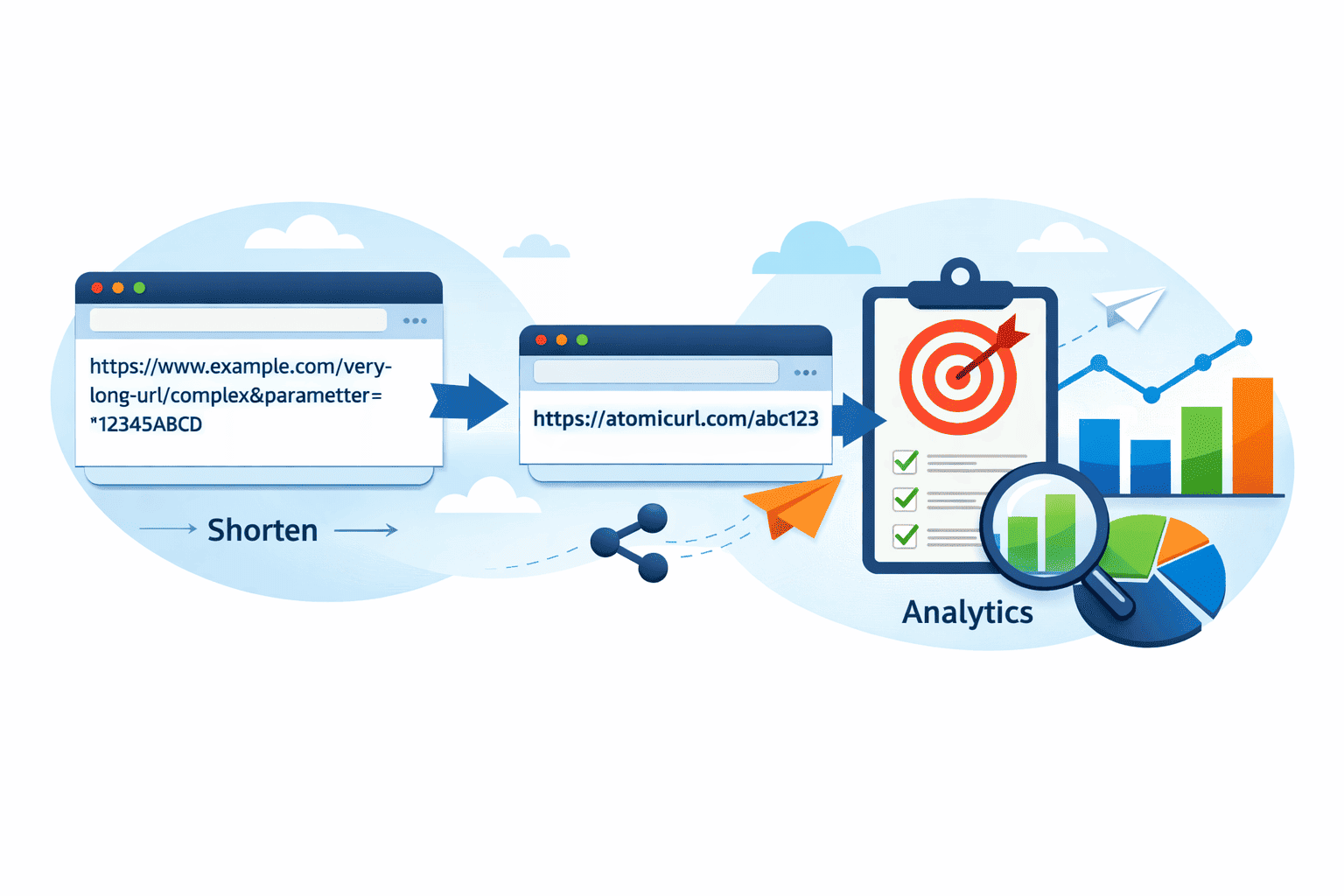
Your Instagram bio gets one clickable link. One. And if you're wasting it on something that looks like https://yourwebsite.com/landing-page?utm_source=instagram&utm_medium=social&utm_campaign=spring2025—you're not just wasting space, you're actively making people less likely to click.
Here's the thing about Instagram: first impressions matter more there than almost anywhere else online. Someone lands on your profile, reads your bio in about three seconds, and either taps that link or leaves. A clean, short, memorable URL is the difference between a click and a scroll-past.
This guide is going to walk you through exactly how to add a short link to your Instagram bio—step by step—but also why the link itself matters just as much as knowing where to paste it.
Why Your Instagram Bio Link Needs to Be Short
Let's be honest: most people don't think about this. They copy their website URL, paste it into the bio field, and move on. And technically, it works. Instagram does make long URLs clickable in the bio section.
But here's what actually happens. Long URLs look messy. They break the visual flow of a carefully written bio. They also don't fit the aesthetic that most creators and businesses are going for. And—this is the part people miss—they look less trustworthy to a cold audience. Someone who doesn't know your brand yet sees a long URL filled with parameters and tracking codes, and something in their brain says "spam."
A short link like atomicurl.com/yourname or something custom to your brand? That reads as intentional. Professional. Worth clicking.
There's also a practical reason. Instagram bios are limited to 150 characters. If your URL is eating 80 of those characters, you don't have much room left to say anything useful about who you are or what you do.
Short links solve this. They're compact, they're clean, and when you use the right tool, they're also powerful in ways that go way beyond just looking nice.
Step One: Shorten Your Link First
Before you even open Instagram, you need to create your short link. This is where a lot of people skip a step—they use some random free shortener that produces an ugly generic URL, and then wonder why it doesn't feel right.
Go to AtomicURL. No account needed, no sign-up wall, no email confirmation. You land on the page, paste your long URL into the box, and within seconds you have a shortened link. That's genuinely how fast it is.
What makes AtomicURL worth using over the random options that come up in a Google search? A few things.
You can customize the link. Instead of a random string of characters after the slash, you can make it something recognizable—your name, your brand, the name of whatever you're promoting. That's a big deal for Instagram specifically, because your bio link is visible to every person who visits your profile, and a branded short link reinforces your identity even before someone clicks.
The redirection is lightning-fast and reliable. This matters more than people realize. If someone taps your bio link on mobile and it takes three seconds to load because the shortener is slow, a lot of them will bounce before your page even appears. AtomicURL's performance is built for exactly this—quick, consistent, no lag.
And there are no limits on how many links you can shorten. If you run multiple campaigns or have different links you rotate through your bio, you're not hitting a ceiling.
Step Two: Customize It If You Can
This step is optional but genuinely worth the 30 extra seconds it takes.
When you're shortening your link at AtomicURL, take a moment to give it a custom slug—the part that comes after the slash. Instead of accepting whatever random characters get assigned, type something that reflects your content. Promoting a new product? Try /newdrop. Sharing a portfolio? /mywork. Running a limited-time offer? /sale25.
The reason this matters for Instagram is context. When someone sees your bio, they're making a quick judgment call. A link that says something—even just a few characters—gives them a preview of what they're clicking into. It reduces hesitation.
It also makes your link easier to share verbally. If you're in a video, a reel, or a live session telling people to check your bio link, saying "it's just /sale25" is easier to communicate than "it's a random string of letters and numbers."
Step Three: Copy the Link (One Click)
AtomicURL has a one-click copy feature. You shorten your link, you hit copy, it's on your clipboard. No selecting, no right-clicking, no accidentally copying extra whitespace. Small thing, but it's the kind of detail that makes a tool actually pleasant to use when you're rushing through tasks.
Now you've got your short link ready. Time to go put it in your Instagram bio.
Step Four: Add the Link to Your Instagram Bio
Open Instagram. Go to your profile by tapping your profile picture in the bottom right corner. Then tap Edit Profile—it's right there under your bio.
You'll see a field labeled Website or Link. Tap it. Paste your short link. Done.
Hit the checkmark or Done button to save, and you're live. Anyone who visits your profile from this point on will see your clean, short, clickable link sitting right there under your bio text.
Double-check it by going back to your profile and tapping the link yourself. Make sure it redirects where it should. This is a two-second check that saves you from sending your audience somewhere broken.
The Part Most Guides Skip: Managing Your Link Over Time
Here's where things get genuinely interesting, especially if you use Instagram for business or consistent content promotion.
Most people set their bio link once and forget it. The smarter approach is treating your bio link as a dynamic asset—something you update based on what you're currently promoting, and something you can control beyond just the destination URL.
The AtomicURL URL manager is built for exactly this. Once you've created shortened links, you can manage them—update destinations, track what's happening, and set specific parameters around how and when links work.
One of the most useful features for Instagram creators is custom link expiry. Say you're running a flash sale this weekend. You can set your short link to expire automatically on Sunday night. No need to remember to go back and change your bio. The link just stops working (or redirects somewhere else) when the time's up.
There's also click-based expiry—a link that deactivates after a certain number of clicks. If you're running a limited offer or a giveaway where only a certain number of people can participate, this is a clean way to enforce that without manually monitoring anything.
Password-protected links are useful in ways that aren't immediately obvious. For Instagram creators who share exclusive content with paying subscribers or close friends, a password-protected short link means you can post something in your bio that only your intended audience can access. Everyone else hits a password wall.
And one-time links—links that work exactly once and then expire—are surprisingly useful for very specific use cases like private content drops, individual DM follow-ups, or exclusive offers you're sharing with a single person.
None of this requires a developer or any technical setup. You're setting these parameters through the URL manager with a few clicks.
A Note on QR Codes and Cross-Platform Sharing
If you're promoting your Instagram and want people to land on the same destination you're sending bio traffic to, QR codes bridge the gap between physical and digital really well.
AtomicURL lets you generate and download QR codes for any shortened link. So if you have a flyer, a business card, a product package, or a physical display of any kind, you can put a QR code on it that sends people straight to your page—same destination as your bio link, just accessible without Instagram.
The quick-share buttons for various social platforms also mean that once you've created a link, pushing it out across Twitter, Facebook, WhatsApp, or wherever else you're active takes seconds. Consistent links across platforms is something a lot of people don't bother with, but it's good practice for tracking and brand consistency.
If you ever receive a short link from someone else and you're not sure where it goes—especially relevant when sharing links in DMs or stories—the URL expander at AtomicURL lets you check the destination before clicking. Worth bookmarking if you deal with a lot of shared links.
For Those Managing Links at Scale
Quick aside for anyone managing multiple Instagram accounts, client profiles, or regular campaigns: the bulk URL shortener lets you shorten up to 50 URLs at once and export the results as a CSV. If you're doing this work for clients or running content calendars across multiple properties, that's a genuine time-saver compared to shortening links one at a time.
The Bigger Picture Here
Adding a short link to your Instagram bio isn't complicated. The steps themselves take maybe five minutes. But the thinking behind which link you use, how you customize it, and how you manage it over time—that's where most people leave performance on the table.
Your bio link is the only URL Instagram lets you make clickable. It's prime real estate. Treat it like that. Keep it short, keep it branded, keep it current, and use tools that give you actual control over what happens when people click.
AtomicURL is free to use, requires no account, and has the depth of features to handle both casual use and more serious link management without overcomplicating anything. That's a combination that's harder to find than it should be.
Start there. Paste your link. Customize the slug. Copy it. Drop it in your bio. And then actually look at it on your profile and ask yourself: does this look like something worth clicking?
If the answer is yes, you're good to go.
Tags
#InstagramTips #LinkInBio #ShortLinks #InstagramBio #URLShortener #SocialMediaMarketing #InstagramMarketing #ContentCreator #AtomicURL #DigitalMarketing #GrowOnInstagram #InstagramStrategy #BioLink #MarketingTools #SmallBusinessMarketing
_Image_1.png)
_Image_1.png)
_Image_1.jpg)


_Image_1.jpg)

.jpg)


.jpg)